Supervertaler Workbench
Welcome to the help center for 🖥️ Supervertaler Workbench – a free, open-source translation application built by translators, for translators.
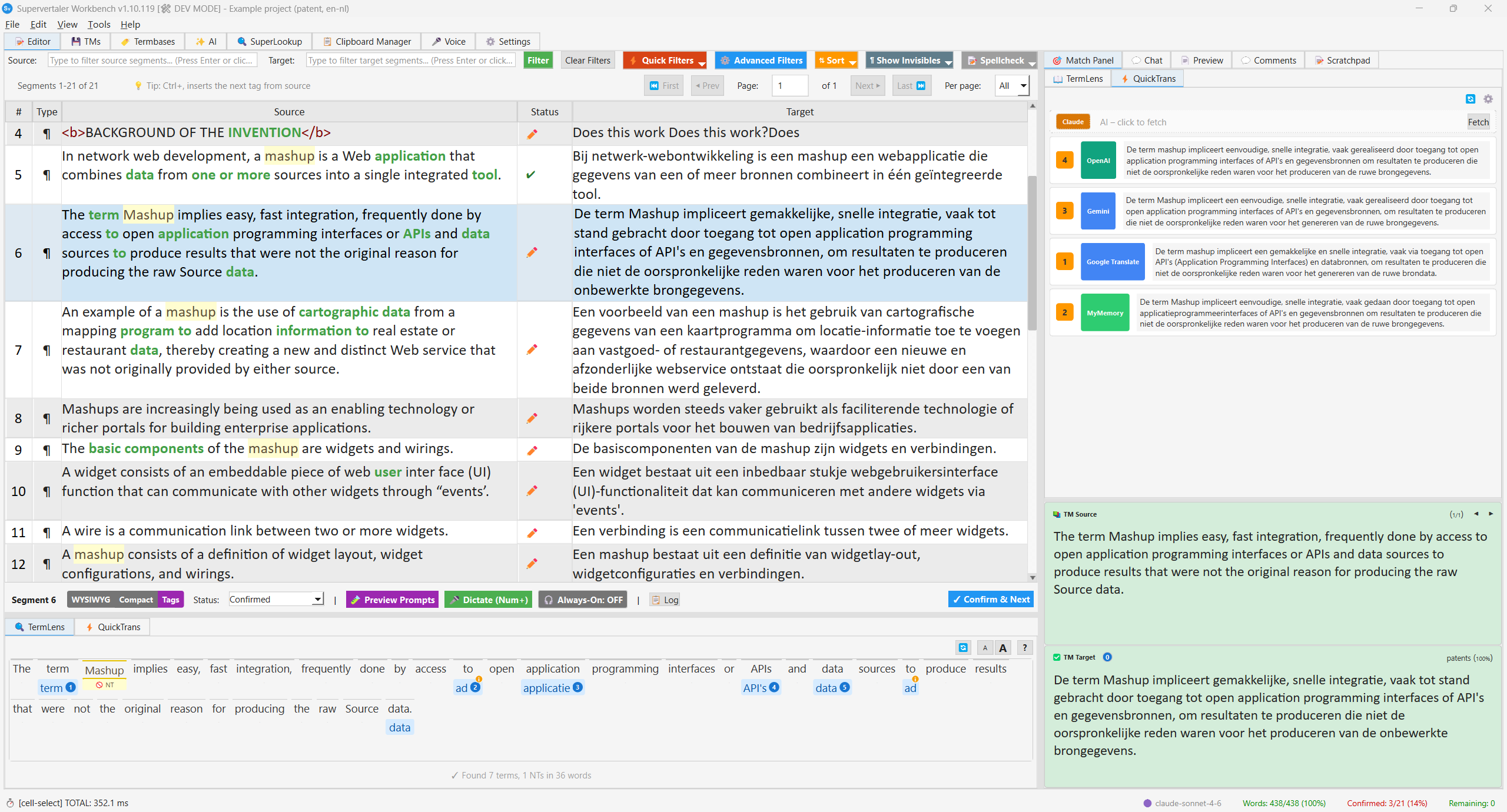
Supervertaler Workbench integrates AI-powered translation with traditional CAT tool workflows. It runs on Windows, macOS, and Linux.
- Translate with AI – GPT-4, Claude, Gemini, or local models via Ollama
- Work with CAT tools – import/export files from memoQ, Trados, Phrase, CafeTran
- Translation Memory – fuzzy matching, TMX import, concordance search
- Terminology – termbases, automatic term highlighting, TermLens
- Companion tabs – Chat (AI conversation), SuperLookup, Clipboard manager, Voice
- Voice – always-on voice commands and push-to-talk dictation for any application
- SuperLookup – system-wide translation lookup (TM, termbase, MT, web)
- QuickTrans Popup – always-on-top popup with simultaneous translations from every enabled provider
- Quality Assurance – spellcheck, tag validation, non-translatables
| Requirement | Details |
|---|---|
| OS | Windows 10/11, macOS, Linux |
| Python | 3.10 or higher |
| License | Free and open source (MIT) |
| Source | github.com/Supervertaler/Supervertaler-Workbench |
Start here: Quick Start Guide
Supervertaler for Trados
Looking for the Trados Studio plugin? It has its own help center:
Supervertaler for Trados Help →
Both tools share the same SQLite-based termbase format (.db) – termbases created in one work in the other.
Getting Help
- Browse this help center using the sidebar
- Report issues on GitHub
- Ask in GitHub Discussions
- Visit supervertaler.com